TV show tracker for iPhone
A TV show tracker that keeps your place.
One series with a friend, another on your own, and a new season to catch up on. Keep track of watched episodes across your shows without relying on memory.
Browse without an account. Sign in to save your library and progress.
See how it works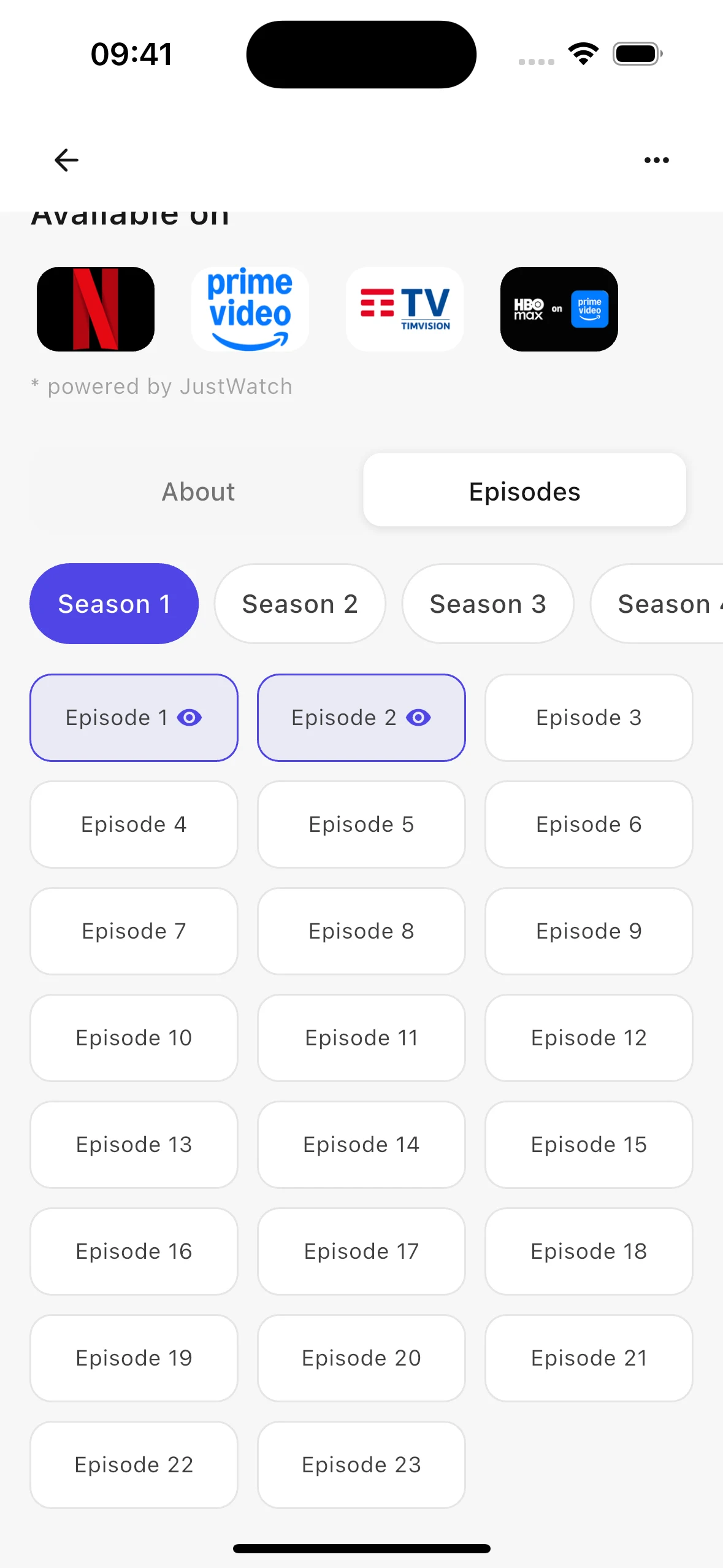
Track individual episodes
Open a series and switch to Episodes to see its seasons. Watched markers distinguish the episodes you have finished from the ones still ahead. Your progress lives with the show, rather than in a separate checklist.
Catch up a season at a time
Already finished a season before adding the series? Mark the whole season as watched instead of checking every episode individually. You can also mark a series as watched, or remove a watched mark if you made a mistake.
Keep unfinished shows together
The Watching tab brings together series with partial viewing progress. When all tracked episodes are watched, the series moves into your watched history. You can still open its details to explore the cast, trailers, and where to watch in your country.
Getting started
How to track TV episodes
Open your series
Find the show in Discover or search, then open its detail page. Sign in when you want to save your viewing progress.
Choose a season
Switch to Episodes and select the season you are watching. Mark individual episodes or a complete season as watched.
Pick up where you left off
Return to the show from Watching in Favorites. Check your episode markers before starting the next episode.
A few useful answers
Frequently asked questions
Can I mark a whole season as watched?
Yes. Season-level controls let you mark the season without selecting each episode. You can also mark the series as watched from its detail page.
Can I undo a watched episode?
Yes. You can remove a watched mark from an episode or season. This lets you correct an accidental tap without deleting the show from your library.
Is my streaming history imported automatically?
No. You mark your progress in Kinopal yourself. It does not read viewing history from Netflix, Prime Video, or other streaming accounts.
Do I need to sign in to track episodes?
Yes. Episode progress belongs to your personal account. Browsing series information is available without signing in.
More ways to make Kinopal yours
Available on iOS
Your next movie is waiting
Discover freely. Save your favorites. Share a collection worth watching.