Movie watchlist for iPhone
A movie watchlist for everything you want to watch.
A recommendation from a friend, a trailer that caught your eye, a film you keep meaning to see. Save them in Kinopal instead of scattering titles across notes and messages.
Browse without an account. Sign in to save your library and progress.
See how it works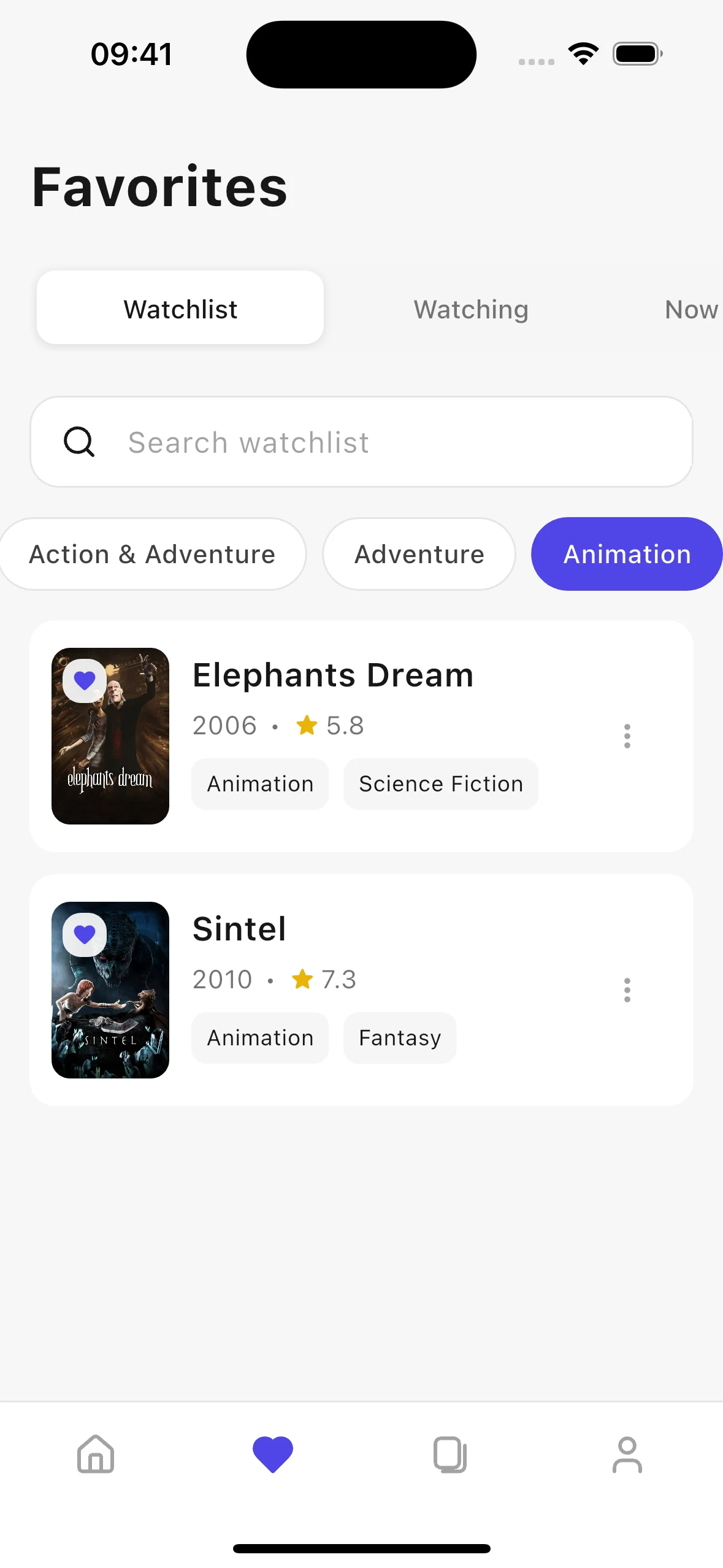
Save the title, not another note
Search for a movie, open its details, and tap the heart. Your saved list keeps the poster, year, rating, and genres together, so a half-remembered recommendation is easier to recognize when movie night comes around.
Choose from your own shortlist
Search your saved movies or filter by genre when you have a particular mood in mind. Dedicated tabs separate your watchlist, future releases, and movies in theaters. You can also keep TV shows alongside films instead of maintaining another list.
Remember what you have seen
Mark a movie as watched to keep a viewing history. Before choosing your next film, open its details to read the overview, watch a trailer, or check streaming services in your selected country. Availability varies by region and date.
Getting started
How to build your movie watchlist
Find a movie
Choose your country and language, then browse Discover or search by title. You can explore without creating an account.
Tap the heart
Save a movie from its detail page. If you are browsing as a guest, Kinopal asks you to sign in before saving it to your library.
Return when you are ready
Open Favorites to find your saved titles. Filter your shortlist, choose a movie, and mark it as watched afterward.
A few useful answers
Frequently asked questions
Do I need an account to make a watchlist?
Yes. You can browse and search without an account, but saving titles and viewing your personal library requires signing in.
Can I save movies that have not been released yet?
Yes. Saved upcoming movies appear in Future releases, helping you keep them separate from titles already available. Release information comes from the available movie data.
What is the difference between a watchlist and a collection?
Your watchlist is your general list of saved titles. A collection is a named selection you create around a theme, occasion, or person, and can share with a link.
Can I watch or download movies inside Kinopal?
No. Kinopal helps you discover, organize, and track titles. It shows streaming availability for your country but does not host movies or include subscriptions to streaming services.
More ways to make Kinopal yours
Available on iOS
Your next movie is waiting
Discover freely. Save your favorites. Share a collection worth watching.